 If you have installed Windows Live Messenger you have probably noticed the annoying new shortcut it adds to My Computer! It is a folder that you may put stuff in so that when you log on to WLM people may copy whatever you have in that folder. I find this feature totally useless and a waste of space in My Computer. This guide will demonstrate how to remove 'My Sharing Folders' from My Computer.
Sunday, August 13, 2006
Remove 'My Sharing Folders' from My Computer
If you have installed Windows Live Messenger you have probably noticed the annoying new shortcut it adds to My Computer! It is a folder that you may put stuff in so that when you log on to WLM people may copy whatever you have in that folder. I find this feature totally useless and a waste of space in My Computer. This guide will demonstrate how to remove 'My Sharing Folders' from My Computer.
Sunday, August 06, 2006
Keyboard, Windows Shortcuts
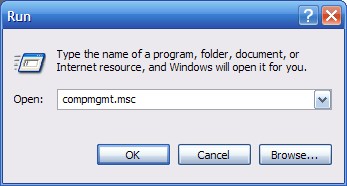 +ethief from Neowin has compiled a list of Windows and Keyboard Shortcuts. This is very usefull when you need to do things quickly without searchign through a lot of complex menus. Click Read More for the shortcuts.
Printscreen While Watching a Movie
UPDATE: This guide is outdated. Please use the new guide.
If you have tried to use printscreen to get a screenshot of a movie you are currently watching on your computer, it probably didnt work and appeared completely black where the video is supposed to be. This is due to the hardware acceleration of videos in your computer. Because of it, a printscreen will not work. This howto will show how to task a screenshot of a video playing on your computer without the need of 3rd part software.
If you have tried to use printscreen to get a screenshot of a movie you are currently watching on your computer, it probably didnt work and appeared completely black where the video is supposed to be. This is due to the hardware acceleration of videos in your computer. Because of it, a printscreen will not work. This howto will show how to task a screenshot of a video playing on your computer without the need of 3rd part software.
Monday, July 24, 2006
Firefox
Firefox is a very secure and fast web browser. It has the ability to be skinned or "extended" with extensions. It has many features like tabbed browsing that people like it for. If you have not tried firefox yet, press the link to it on the top of the page if you are using Internet Explorer.
Saturday, July 22, 2006
Skip Re-Activation When you Reinstall Windows XP
 For many computers, a reinstall of Windows XP (even if its on the same PC) requires re-activation with Microsoft. Some versions of XP require you to actually call Microsoft after a certain number of activations have already been performed to get it activated again. This howto shows how to bypass all this by backing up your activation files.
Thursday, July 20, 2006
Is 100 MB too much ? Nero 7 Premium Alternatives
 Nero 7 has become quite large for a simple CD burning program and now includes many utilities many people see as useless and bloat. It has Nero Scout which is like the Windows Indexing service and especially useless if you have Media Center Edition. There are some free or cheap alternatives to Nero that take up less space too.
Saturday, July 15, 2006
Stop PDFs from freezing Firefox
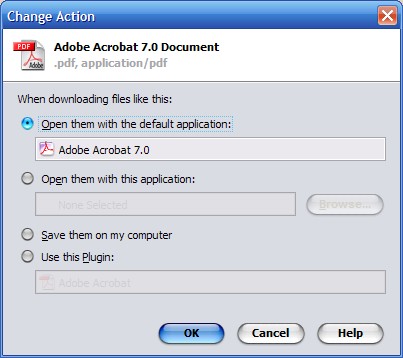 Firefox has the ability to use the Arobat Reader plugin and it is set by default. Whenever you click on a PDF link without realizing, it will freeze your browser for about a minute before it responds correctly. If the plugin crashes, it also crashes your browser. This is really annoying and there is a very simple fix to this.
Friday, July 14, 2006
Video Codecs
 A lot of videos and movies you can download use codecs that do not come included with most computers. This can be very annoying, especially for people who do not know what a codec is or where to get one. Cole2k Media has a solution for this annoying problem. They have a downloadable codec pack with most common codecs that are used, but not included with Windows.
To get the codec pack, go to Cole2k's website and download one of the codec packs on the top left. If you do not know much about what you want or need, just get the standard pack and leave all the options default.
Xbox Controller on PC
 A lot of people own Xboxs, but most of them do not know that their controller can be used on the computer. All you need to do to make it work is buy an adapter for around $6 shipped from ebay and download some drivers. The drivers support all the buttons, rumble, and even the slots on top for a microphone or something of that sort. A controller for the computer with all the features of an Xbox controller is very expensive, so even people without an Xbox can benefit from this!
To get an adapter, search eBay for "Xbox to USB"
To get the drivers, follow this link and click XBCD
Wednesday, July 12, 2006
Disable Error Reporting
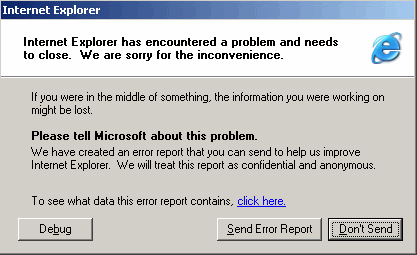 Windows XP Has a feature called error reporting where it brings up a window after a program crashes asking if you would like to report the error to Microsoft. This is meant to help Microsoft in fixing bugs, but I just find them annoying. Some other people are concerned for their privacy even though it does not send any personal data. Press Read More to see how to disable it!
Subscribe to:
Posts (Atom)